
検証済みの機能
QR ツール
QR コードとポスターを作成、読み取り、編集、書き出しします。
解決できる問題: Users need one place to create, style, scan, recognize, and export QR codes without switching between unrelated tools.
できること
- Create QR codes and customize their visual style.
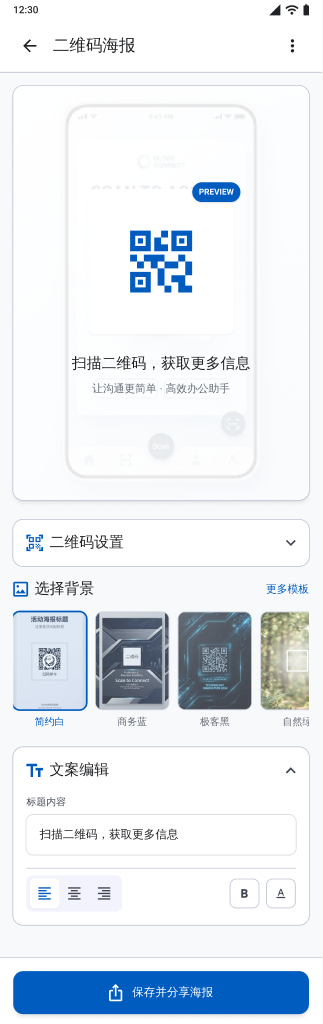
- Build QR poster layouts and export them.
- Recognize QR, Code 128, EAN-13, and UPC-A from a camera capture or gallery image.
- Copy, open, or share recognized content.
設定できる項目
- QR colors and visual elements
- Poster layout
- Camera or gallery recognition
対応する入力
- Text or link content
- Camera capture
- Gallery image
出力
- QR image
- QR poster
- Recognized code content
ワークフロー
- Choose whether to create, design, or recognize a code.
- Enter content or capture/select an image.
- Customize and preview generated codes, or inspect the recognized format and value.
- Export, copy, open, or share the result.
制限事項
- Recognition depends on image clarity, code size, focus, and supported barcode formats.
- A recognized link can only open when another installed app can handle it.
よくある質問
Can it scan a QR code from an existing image?
Yes. Code recognition can use a gallery image as well as a camera capture.
Which barcodes are explicitly supported by the recognition screen?
The verified screen names QR, Code 128, EAN-13, and UPC-A.
プロジェクトの根拠
feature/feature_app/src/main/java/com/wkq/photo/feature/app/qrcode/QrCodeFragment.ktfeature/feature_app/src/main/java/com/wkq/photo/feature/app/qrcodeposter/QrPosterFragment.ktfeature/feature_app/src/main/res/values/home_strings.xml