
검증된 기능
일괄 처리 작업 흐름
여러 사진을 함께 처리하고 작업 진행 상황을 확인합니다.
해결하는 문제: Applying the same edits one photo at a time is slow and makes output settings inconsistent.
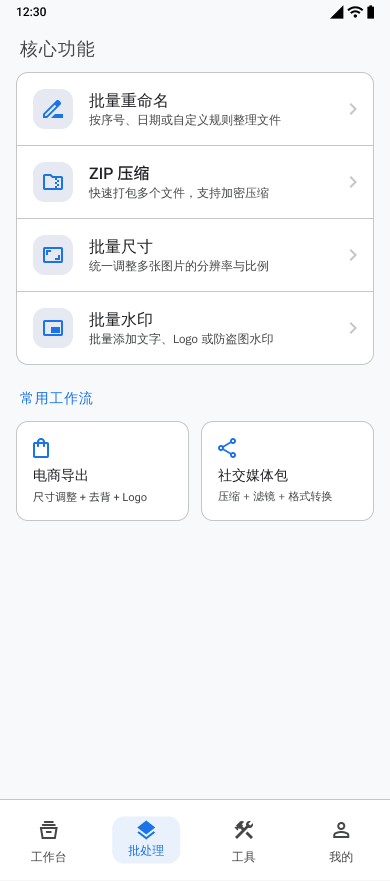
할 수 있는 작업
- Select multiple images for one processing task.
- Combine compression, resizing, watermarking, color enhancement, and format conversion steps.
- Review successful and failed results before saving.
- Reuse processing templates and inspect recent task history.
사용 가능한 옵션
- Processing step order
- Output format and quality
- Filename prefix
- EXIF retention when the selected operations permit it
지원 입력
- Images selected through Android system pickers
출력 결과
- Processed images saved to Pictures/Batch Photo
작업 흐름
- Select the images for the batch.
- Add and configure the required processing steps.
- Choose export format and filename settings.
- Run the task and monitor progress.
- Review results, then save the completed images.
제한 사항
- Operations that re-encode an image can prevent EXIF preservation.
- Processing time and storage use depend on the number, size, and format of the selected images.
자주 묻는 질문
Can several operations run in one batch?
Yes. The batch workflow can combine supported steps such as compression, resizing, watermarking, color enhancement, and format conversion.
Can I check results before saving?
Yes. Completed results and failures are shown for review before the successful images are saved.
프로젝트 근거
feature/feature_app/src/main/java/com/wkq/photo/feature/app/batch/BatchFragment.ktfeature/feature_app/src/main/res/values/feature_page_strings.xml